|
What is Langmeier Backup Business?
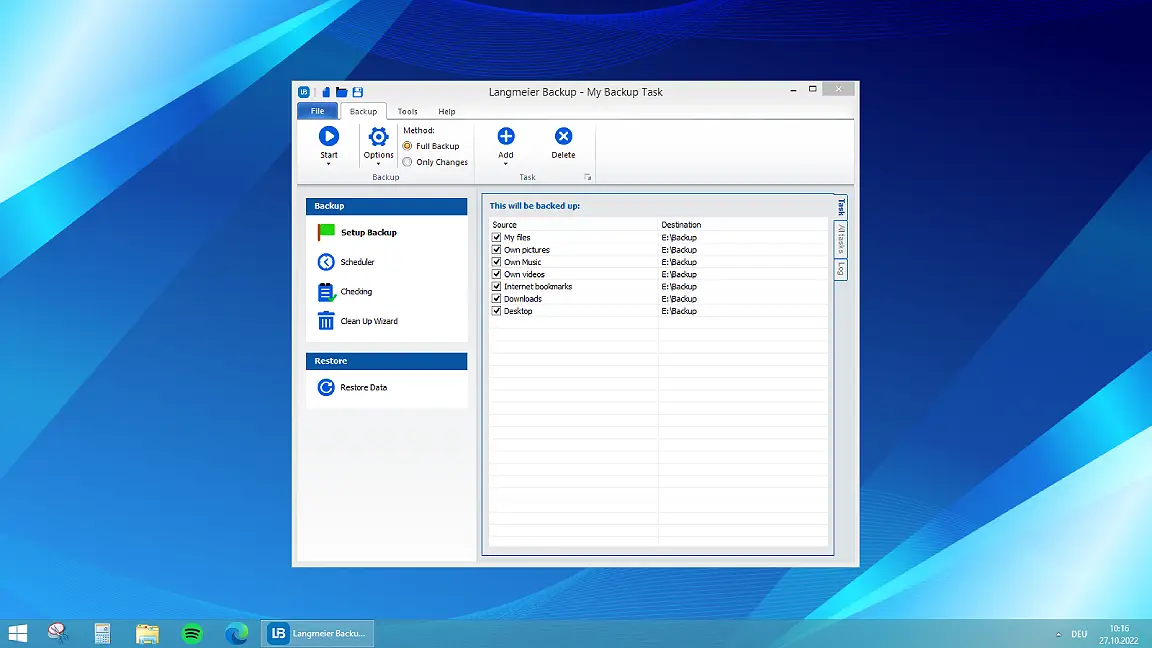
Langmeier Backup Business is the latest version of the award-winning backup software for Windows. From creating bootable emergency media to backing up and restoring complete PCs, laptops and Windows tablets, Langmeier Backup Business includes everything an IT administrator could wish for in a backup solution for their company.
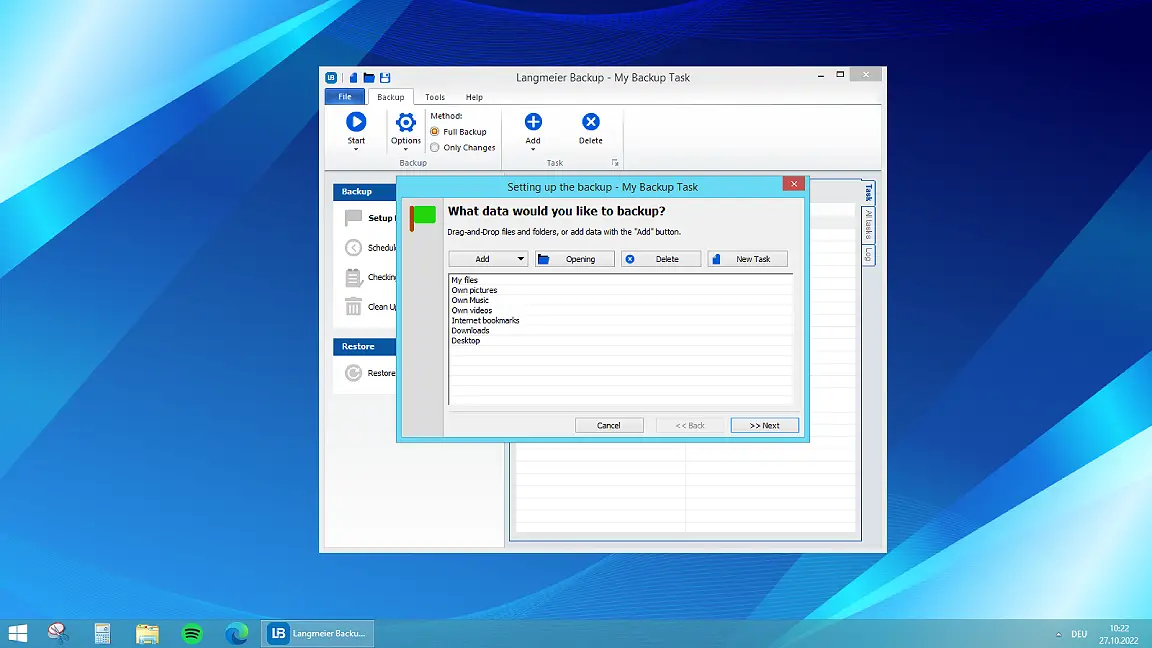
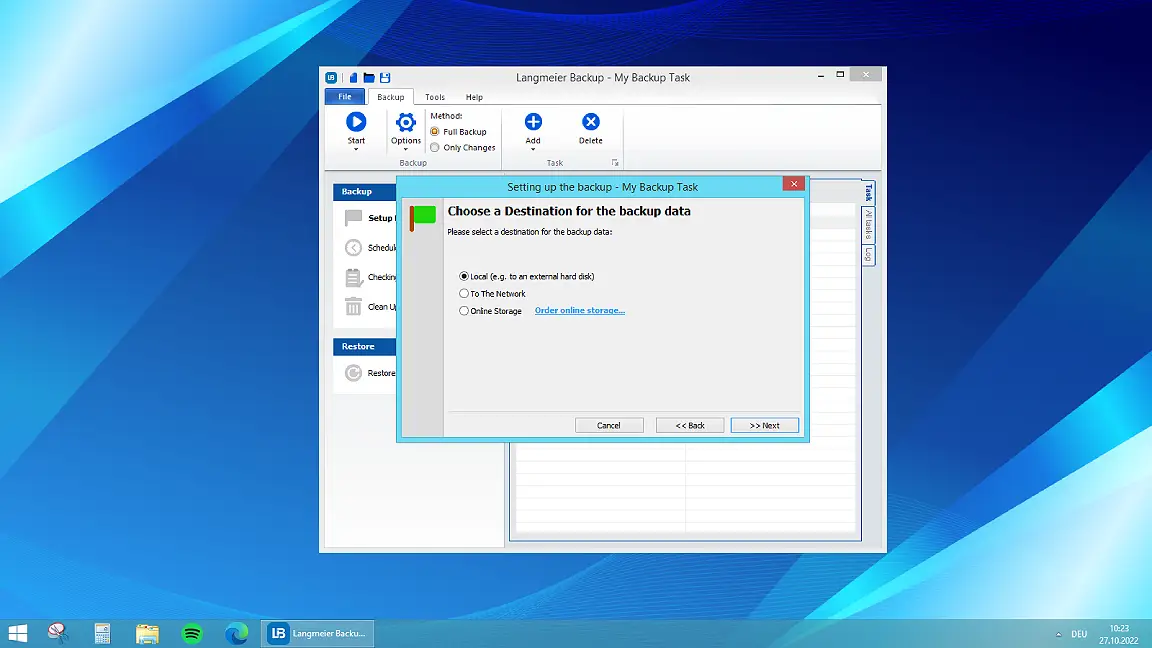
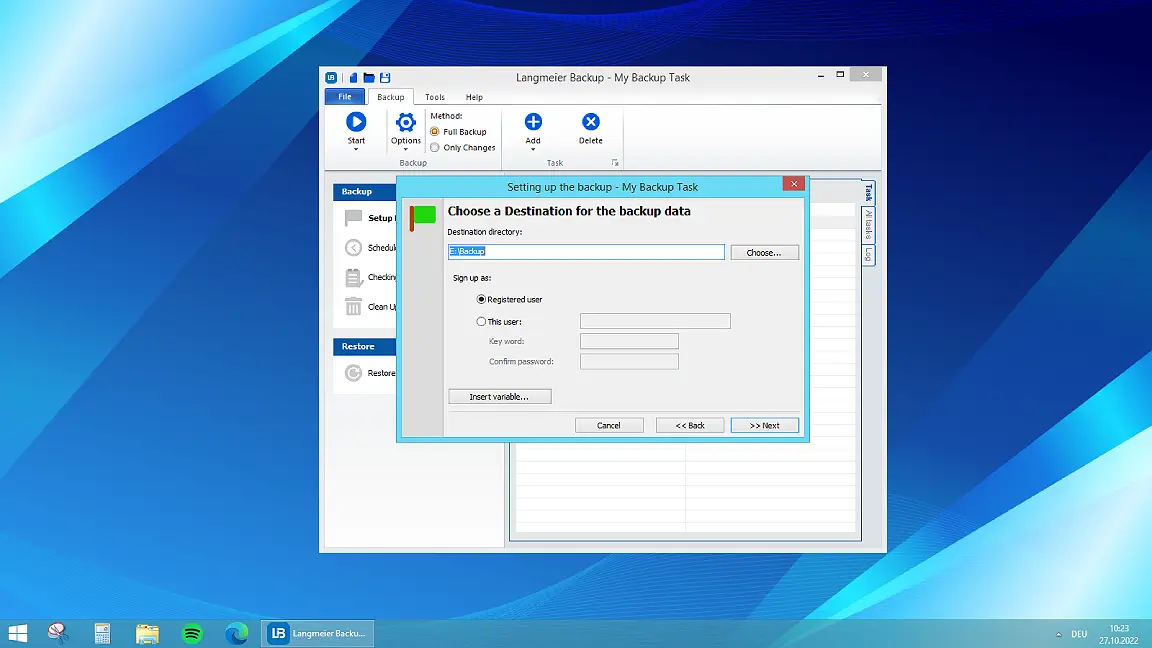
Langmeier Backup is also ideally suited as a backup solution for small companies, as it is easy to use and clearly laid out. A manager with basic IT knowledge can easily and successfully configure a backup job himself. Langmeier Backup Business also masters the popular 1:1 file backup. Backing up active databases is no problem for Langmeier Backup.
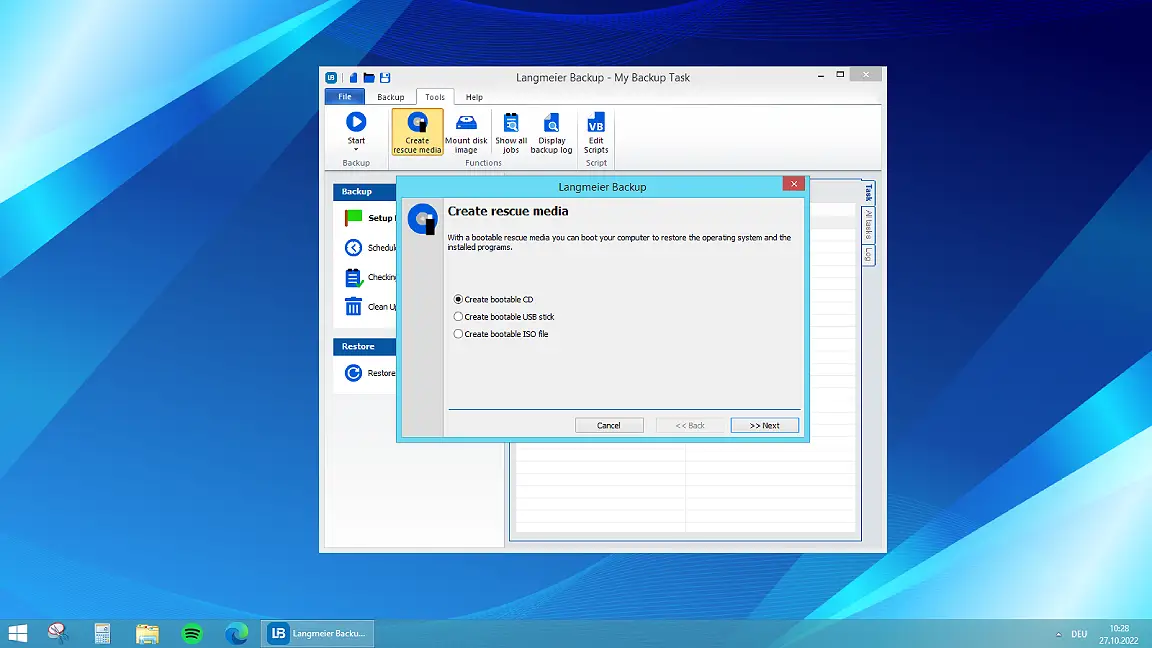
If the computer is infected by a virus or has software problems, the system is quickly restored thanks to the bootable emergency medium , even on new hardware.
The most important advantages of Langmeier Backup Business at a glance:
- Unique backup protection against encryption Trojans
- Data backup with Swiss reliability
- Receive backup logs by email or SMS
- Secure encryption for both data transfer and storage
- Integrating backup images as a drive
- Customizable data backup processes possible thanks to VB scripts
- Support included: one year of free support from Switzerland
For PC & Laptop
For servers & virtual machines
Backup Essentials
$39.90 per year
Select
- Can be canceled at any time
- Support & upgrades included
- Data backup under Windows 11, 10, 8, 7
- Simple user interface
- Back up files and folders
- Backup of the complete computer
- Backup of e-mails and Internet bookmarks
- Backing up OneDrive and Google Drive
- Restore individual files and folders
- Boot medium for restoring the complete computer
- Live ransomware scanner protects computers and backup media
- Backup to USB drives
- Backup to NAS
- Backup to OneDrive, Google Drive & Dropbox
- Backup to Langmeier Backup Cloud with Immutable Protection™
Recommended
Backup Professional
$49.50 per year
Select
- Can be canceled at any time
- Support & upgrades included
- Data backup under Windows 11, 10, 8, 7
- Professional user interface
- Back up files and folders
- Backup of the complete computer
- Backup of e-mails and Internet bookmarks
- Backing up OneDrive and Google Drive
- Restore individual files and folders
- Boot medium for restoring the complete computer
- Live ransomware scanner protects computers and backup media
- Backup to USB drives
- Backup to NAS
- Backup to OneDrive, Google Drive & Dropbox
- Backup to Langmeier Backup Cloud with Immutable Protection™
- Play sound after data backup
- Send e-mail after data backup
- Send SMS after data backup
- Backup to FTP server and public clouds
- Encryption
- Restore by date
- Eject data carrier at the end of the backup
- Backup as Windows service
Backup
Business
$99 per year
Select
- Can be canceled at any time
- Support & upgrades included
- Data backup under Windows 11, 10, 8, 7
- Professional user interface
- Back up files and folders
- Backup of the complete computer
- Backup of e-mails and Internet bookmarks
- Backing up OneDrive and Google Drive
- Restore individual files and folders
- Boot medium for restoring the complete computer
- Live ransomware scanner protects computers and backup media
- Backup to USB drives
- Backup to NAS
- Backup to OneDrive, Google Drive & Dropbox
- Backup to Langmeier Backup Cloud with Immutable Protection™
- Play sound after data backup
- Send e-mail after data backup
- Send SMS after data backup
- Backup to FTP server and public clouds
- Encryption
- Restore by date
- Eject data carrier at the end of the backup
- Backup as Windows service
- Integrated scripting language
- Backup to ZIP archives
- Protected network folders with login information
- Professional ransomware protection
- Tape drives of all types
- Data backup on WORM media (Write-Once-Read-Many)
- Backup as Windows service
- Hardware separation of the drives using a DSC device (Data Save Control device)
- Backup of folder security settings
Features of Langmeier Backup Business
Most of the following features are exclusively available in the business version of Langmeier Backup. They enable professional backup solutions for your company.
Incremental backup
Langmeier Backup works in incremental data backup mode by default. This means that all files are backed up the first time and then only the changed and newly added files are backed up. This minimizes the storage requirements.
Langmeier Backup also adds the latest file to the full backup and saves the previous version separately with a time stamp so that the changed files do not have to be laboriously collected during the restore.
Differential backup
For a differential data backup, use several backup data carriers. The first time you make a full backup, the following times you make a backup of the files that have changed or been added to another data carrier. With Langmeier Backup you can map this system using two different backup jobs. The advantage of differential data backup is the reduced storage requirement and the fact that the partial backups are independent of each other and can therefore be deleted individually if necessary.
Which operating systems can be backed up with Langmeier Backup Business?
With Langmeier Backup Business you can back up the following operating systems especially for companies:
- Windows 10
- Windows 8 / Windows 8.1
- Windows 7
Backup logs by email and SMS
An important aspect of data backup is regular monitoring. You can set this up conveniently in Langmeier Backup. Have the logs sent to you by e-mail, optionally only if errors have occurred during the backup. An SMS to your cell phone is also an option. It is even possible to have the log printed out automatically after the backup has been completed.
Encryption
With Langmeier Backup Business, you benefit twice from encryption. Because when you back up data to a cloud such as Microsoft SkyDrive or Google Drive, you can encrypt not only the backup files but also the transfer itself. Nobody can access your data during the transfer and there is no way for intruders to read your encrypted data in the cloud either.
If you encrypt the backup to a hard disk, you are using a secure (external) hard disk, because nobody can do anything with such a secure hard disk without the password for decryption. Use 256-bit encryption with a secure password and the encryption is definitely unbreakable.
Backup to zip archives
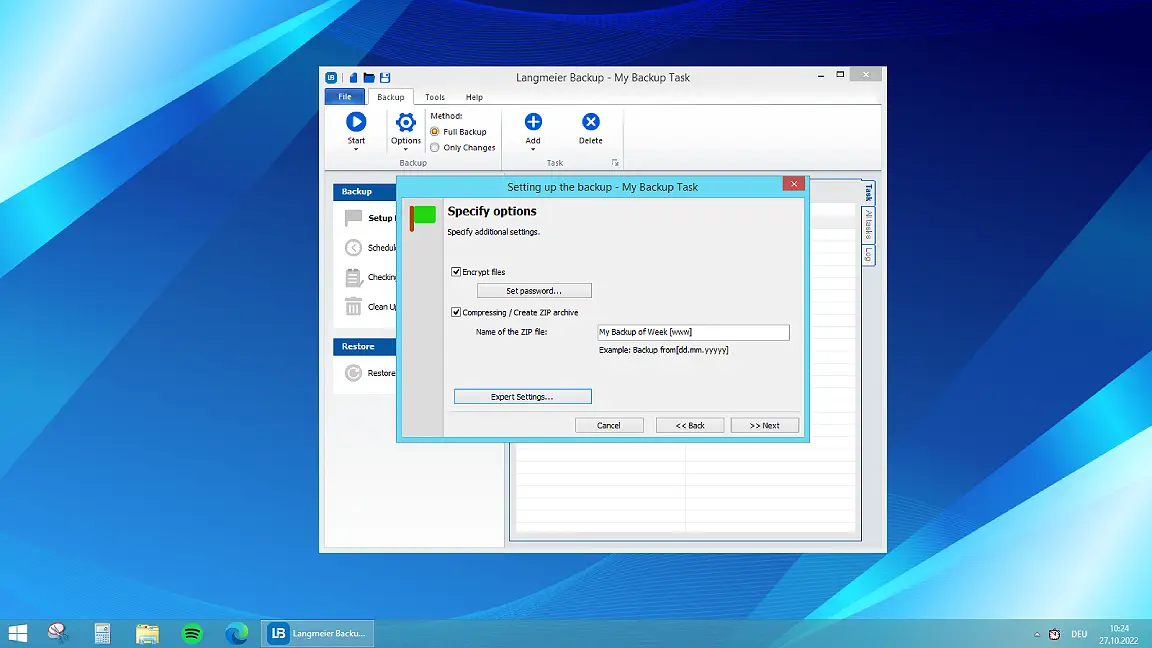
Create a data backup or an EDP backup copy in a standard ZIP archive with Langmeier Backup Business. You can optionally encrypt the ZIP archive and add date variables to the file name.
Data compression
Back up to a ZIP archive with Langmeier Backup Business also for the reason of compressing your data. Do not waste storage space by storing the backup compressed at the destination.
How to back up to protected network folders
Backing up to password-protected network folders is also no problem with Langmeier Backup Business. You transfer the login information of the access-protected folders to Langmeier Backup when setting up the backup. Langmeier Backup then automatically logs into the folders or network folders and completes the backup job.
Customize your backup task with a VB script
Create VB scripts to implement extended data backup concepts adapted to your company. This gives experienced administrators the opportunity to incorporate specific data backup requirements into the backup process. The backup can be connected to business applications via VB script and starts user-defined scripts - even before or after the data backup.
For PC & Laptop
For servers & virtual machines
Backup Essentials
$39.90 per year
Select
- Can be canceled at any time
- Support & upgrades included
- Data backup under Windows 11, 10, 8, 7
- Simple user interface
- Back up files and folders
- Backup of the complete computer
- Backup of e-mails and Internet bookmarks
- Backing up OneDrive and Google Drive
- Restore individual files and folders
- Boot medium for restoring the complete computer
- Live ransomware scanner protects computers and backup media
- Backup to USB drives
- Backup to NAS
- Backup to OneDrive, Google Drive & Dropbox
- Backup to Langmeier Backup Cloud with Immutable Protection™
Recommended
Backup Professional
$49.50 per year
Select
- Can be canceled at any time
- Support & upgrades included
- Data backup under Windows 11, 10, 8, 7
- Professional user interface
- Back up files and folders
- Backup of the complete computer
- Backup of e-mails and Internet bookmarks
- Backing up OneDrive and Google Drive
- Restore individual files and folders
- Boot medium for restoring the complete computer
- Live ransomware scanner protects computers and backup media
- Backup to USB drives
- Backup to NAS
- Backup to OneDrive, Google Drive & Dropbox
- Backup to Langmeier Backup Cloud with Immutable Protection™
- Play sound after data backup
- Send e-mail after data backup
- Send SMS after data backup
- Backup to FTP server and public clouds
- Encryption
- Restore by date
- Eject data carrier at the end of the backup
- Backup as Windows service
Backup
Business
$99 per year
Select
- Can be canceled at any time
- Support & upgrades included
- Data backup under Windows 11, 10, 8, 7
- Professional user interface
- Back up files and folders
- Backup of the complete computer
- Backup of e-mails and Internet bookmarks
- Backing up OneDrive and Google Drive
- Restore individual files and folders
- Boot medium for restoring the complete computer
- Live ransomware scanner protects computers and backup media
- Backup to USB drives
- Backup to NAS
- Backup to OneDrive, Google Drive & Dropbox
- Backup to Langmeier Backup Cloud with Immutable Protection™
- Play sound after data backup
- Send e-mail after data backup
- Send SMS after data backup
- Backup to FTP server and public clouds
- Encryption
- Restore by date
- Eject data carrier at the end of the backup
- Backup as Windows service
- Integrated scripting language
- Backup to ZIP archives
- Protected network folders with login information
- Professional ransomware protection
- Tape drives of all types
- Data backup on WORM media (Write-Once-Read-Many)
- Backup as Windows service
- Hardware separation of the drives using a DSC device (Data Save Control device)
- Backup of folder security settings
Why Langmeier Backup offers the right backup solutions for companies
What does Langmeier Backup offer that the Microsoft backup of Windows 11 does not?
If you try to back up your system with the included Windows 11 Backup, you will soon realize that Langmeier Backup has decisive advantages over many free backup solutions:
- We do not use a proprietary file format. When you save individual folders and files, the files are saved openly and can be viewed and opened in the file directory.
- If you have encrypted the backup, you can extract the files with any ZIP software after entering the password. You do not need to open Langmeier Backup.
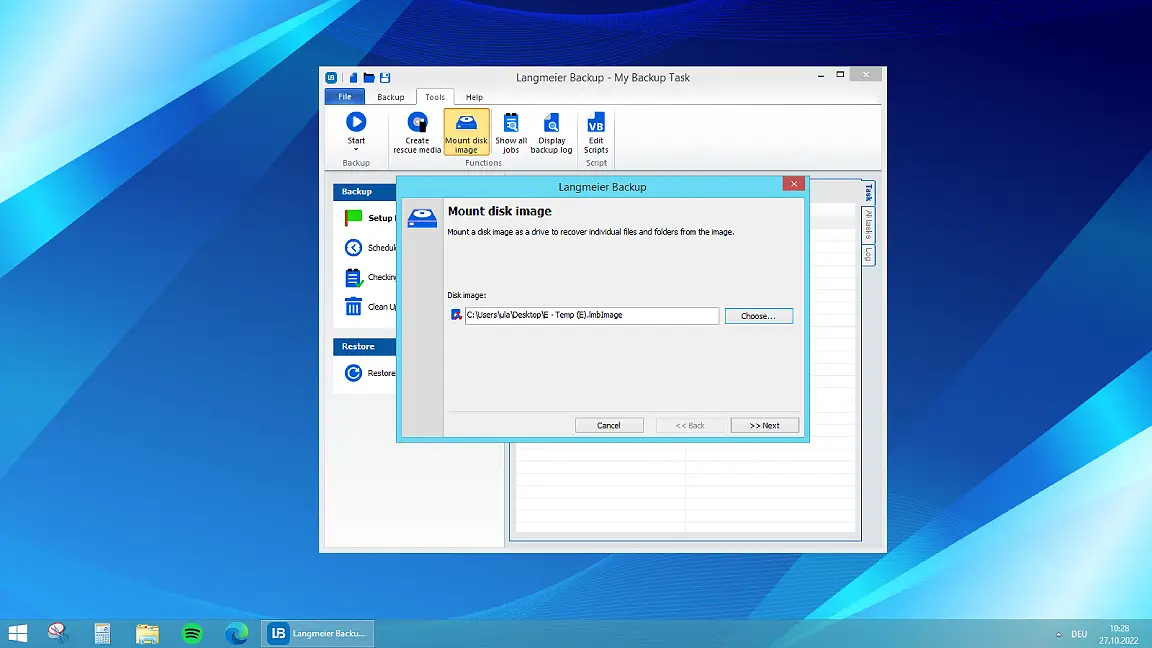
The only exception is the image backup, which is saved in a specific file format. Here Langmeier Backup offers you an elegant solution for reading individual files from the system image if required.
Why is Langmeier Backup Business the right solution for companies?
At Langmeier Software, we pride ourselves on having easy-to-use software that can cope with the increasing complexity that companies face. We support all Windows operating systems that are suitable for companies, you can easily make your backup to the network or the cloud with us and backing up to tape is also easy and relaxed with Langmeier Backup.
How does Langmeier Backup establish trust in the company?
We earn the trust of our corporate customers through strong support that is there for you and can also help you with more complex issues by phone and email. Try out our support. We look forward to every technical challenge!
Special features of Langmeier Backup
Protection against ransomware
Unfortunately, it has been shown time and again that even companies are not immune to ransomware, despite all the precautions taken. Ransomware encrypts the files on a computer and at the same time irretrievably deletes the unencrypted originals. In order to restore the encrypted data, a key is required that only the attackers know.
Langmeier Backup protects you directly against ransomware. Create an automatic data backup with our backup program. This runs automatically in the background as soon as it is set up. In addition, we recommend that you separate your backup media from your main system, except during the backup. To provide you with maximum protection, Langmeier Backup disconnects backup media as long as they are not being used by a backup.
After a ransomware attack, you can restore your system to the time of the last backup, change all passwords immediately for security reasons and you can get back to work. Also read our tips against encryption Trojans.
Backup concept, backup strategy
Every company should have a backup concept and a backup strategy. This is because an ill-conceived backup job does not secure all relevant company data, which can have tragic consequences in an emergency.
Your backup concept should cover the following, among other things:
- What type of backup? Incremental backup, full backup, differential backup?
- Backup interval: Important data should be backed up at least once a day.
- Which data belongs in the data backup and which does not?
- Where should the data backup be stored? Off-site (our recommendation), encrypted, etc.
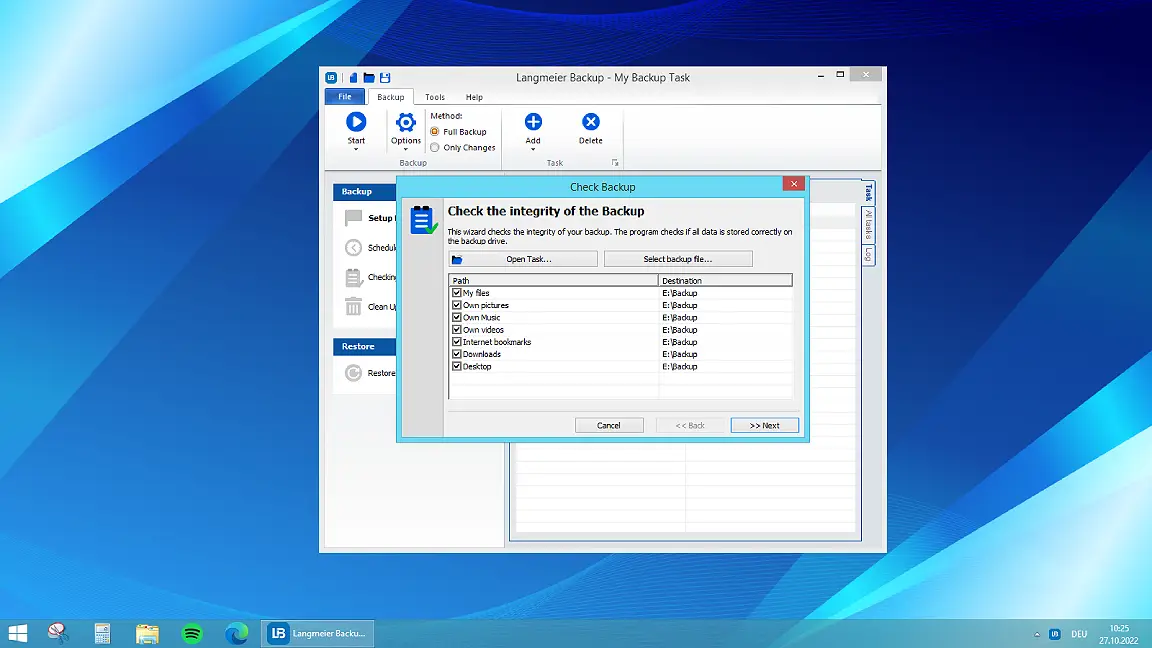
- Regular data backup checks: Who? How often?
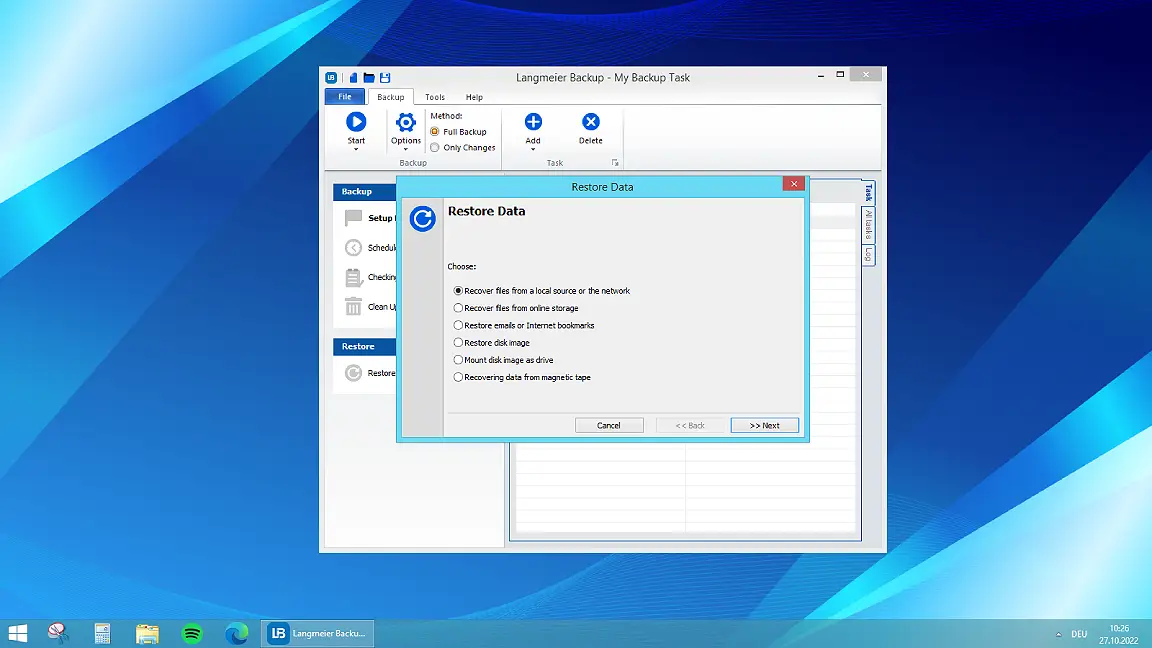
- Backup and restore: A restore test should be carried out at regular intervals.
- Who is responsible for data protection? In smaller companies, it is often the boss; in larger companies, a data protection officer should be appointed.
For the first two points, Langmeier Backup Business will prompt you to make a decision by means of the settings to be made. The other five, however, must be determined by the company itself.
Do you work with an external IT consultant? If so, we recommend that you ask your consultant what the backup concept for your data looks like and please also ensure that there are clear responsibilities for backups.
Image or system image backup and restore
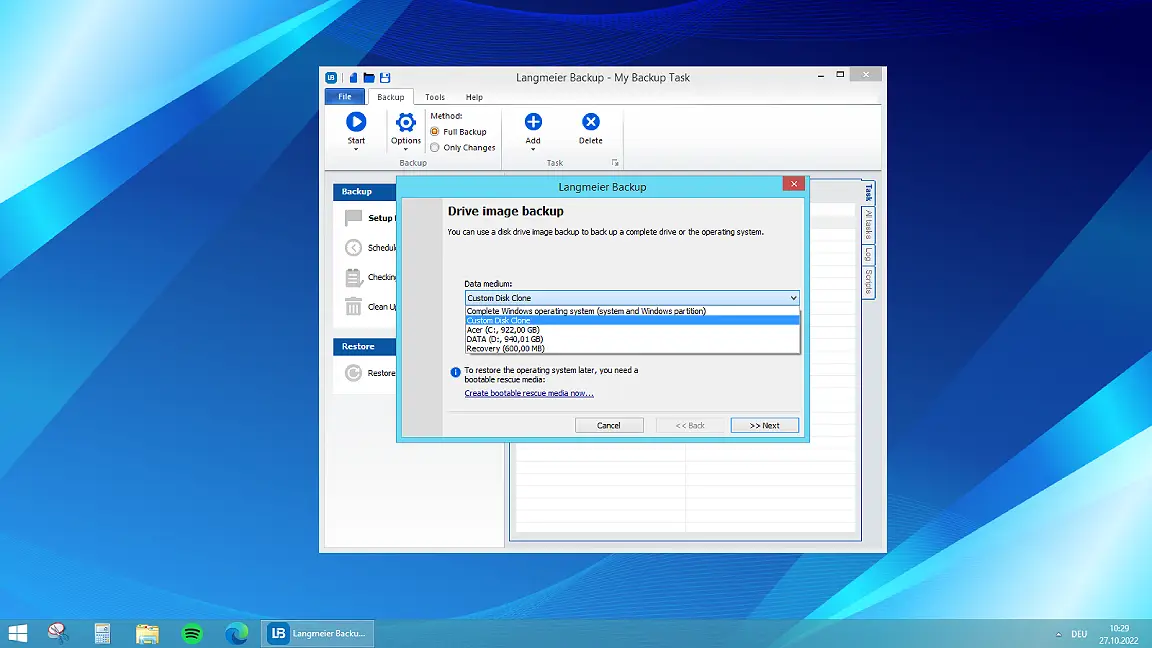
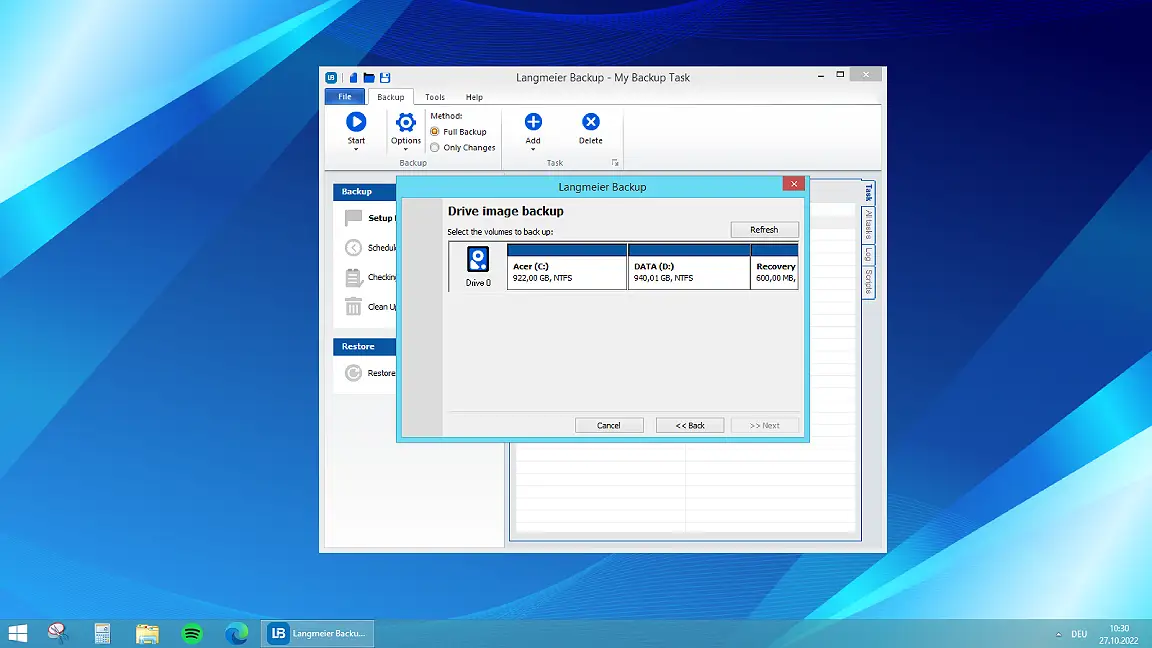
If you want to create a backup of the complete Windows operating system, you need an image. An image is nothing more than a bit-precise image of the hard disk. Langmeier Backup makes it easy to create a Windows image backup.
You are spoiled for choice when it comes to backup media
Data backup to external hard disks
When backing up to the external hard disk, you benefit from the large amount of data available, which makes a complete backup of a company's important data possible. If you consistently disconnect the hard disk from the system after the backup, you can restore the system from this clean source in the event of a virus attack or ransomware incident.
Make sure that you always make a second, redundant backup on another medium to take account of the fact that hard disks can fail from time to time. For this reason, do not use hard disks that are too old for a backup and do not use USB sticks as a backup medium - as these are often of inferior quality.
Data backup to RDX media
like hard disks, RDX media offer a huge amount of available data. In addition, data carrier handling is simplified. However, the main advantage of RDX media compared to hard disks is that RDX media is physically separated after the backup. This prevents encryption Trojans from gaining access to the backup media.
NAS backup
NAS storage is a central storage server that provides shared storage for all users belonging to the respective computer network. NAS storage has proven itself as a powerful and uncomplicated storage medium for small company networks and private networks. The expandability of a NAS system, fast access to a shared database that can be controlled according to user profiles and effective protection against data loss through redundant data storage are particularly advantageous for SMEs.
With Langmeier Backup you can easily perform a backup to a NAS and configure it in detail according to your requirements.
To protect the NAS from being accessed by ransomware, please follow the tip to always protect all network shares with a user name and password.
Data backup via FTP
With Langmeier Backup you can also perform an FTP backup and optionally use a secure connection to the server, which can be activated independently of the data encryption by the Langmeier Backup software. The secure connection for data backup is established using SSL. This option is a good choice for a tap-proof backup under your full control.
Data backup to the Langmeier backup online storage
Langmeier Backup also offers its users its own cloud storage. This storage is optimally matched to the Langmeier Backup backup software. The storage space is available in various sizes from 50 GB. The Langmeier Backup 365 subscription also includes 50 GB of cloud storage.
Cloud backup for companies?
Langmeier Backup supports cloud backup to various online services. However, this can in no way replace a local data backup, but is intended more as a supplement to the local data backup. Use the possibilities of Langmeier Backup Business and encrypt the files after uploading.
Automatic backup
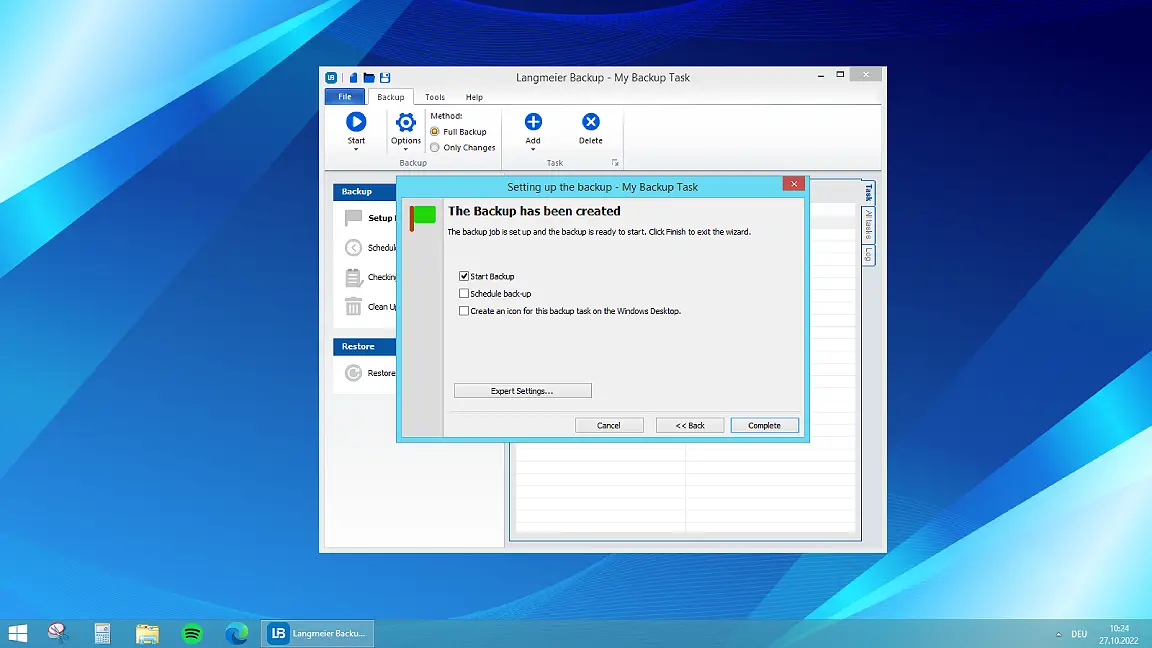
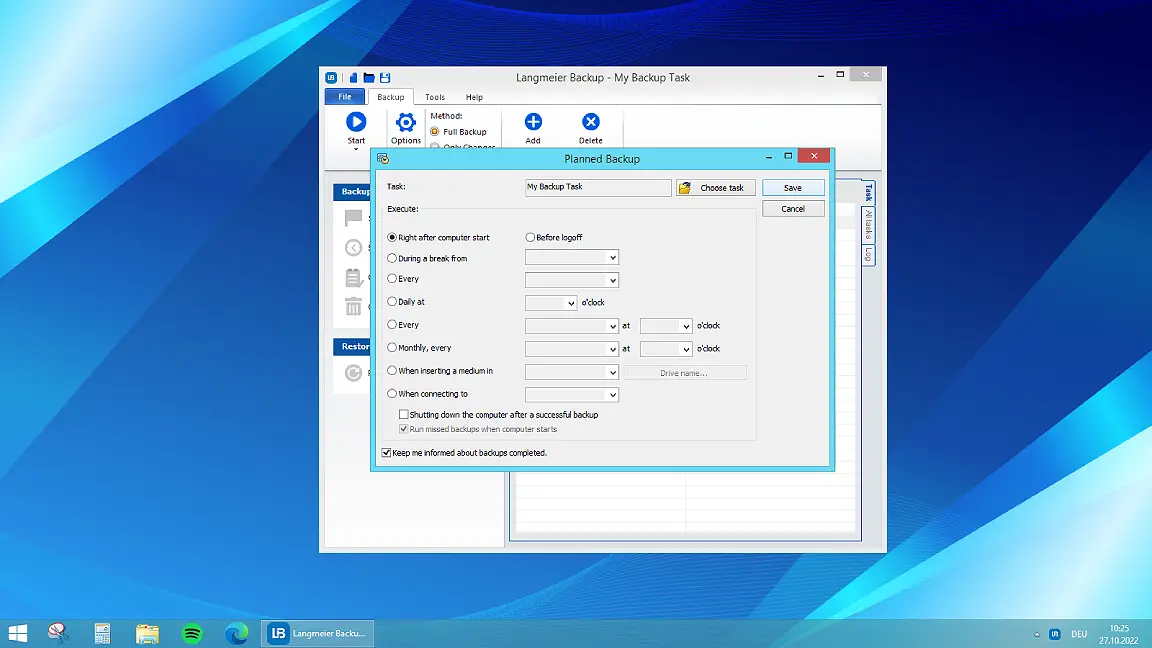
With Langmeier Backup you can run a backup automatically even if no user is logged on. There are also semi-automatic options such as the automatic start of a backup from the moment an external hard disk with a specific name is connected to the system.
Back up open files and open databases
Programs such as databases or Microsoft Outlook lock some of their files during operation. This creates the problem that these files can never be backed up. However, regular data backups are essential.
Langmeier Backup can back up most open files if certain requirements are met. These can be easily configured in the software when creating the backup task. If you prefer to close the affected program before the backup and restart it immediately after the backup, this is no problem with the use of an individualized VB script in the backup task.
Benefit from OnConnect Backup™
Do you want to connect your external USB backup medium to the computer and automatically update the files on it? Then simply use the "OnConnect Backup™" function, which is always included with Langmeier Backup.
How to use RAID correctly for backup
RAID means that instead of a single hard disk, several hard disks of the same type are operated in a network. There are RAID systems that store the files twice. However, the main reason for this is to increase the access speed to the data.
Why is RAID not a data backup without further measures?
Or to put it another way: what is the difference between RAID and data backup? The requirements for a backup are different! What if data is written incorrectly, a virus rages or there is a software error? Accidentally deleted files are not easy to restore in a RAID. Therefore, despite the RAID, you should never neglect regular backups. Only data backups can guarantee recovery in an emergency. This is because a properly set up backup prioritizes issues such as easy recoverability and data security, whereas RAID is primarily about speed.
How do you use RAID correctly for a data backup?
If you would like to use a RAID for your data backup, you can do so. However, the RAID should then be used as a separate unit from the main system. This is because it makes the most sense to separate the original data from the backup data.
Test and buy Langmeier Backup Business
We invite you to test Langmeier Backup free of charge and without obligation for days. Test all the functions listed here - and many more - for yourself:
- Carry out a complete system backup
- Configure a data backup that starts automatically as soon as you connect the designated hard disk.
- Study the different backup types and decide which one suits your company best and determine your company's backup strategy.
- Encrypt data transfer and data storage.
- You can look forward to the automatic email confirmation that your backup has been completed without errors.
If you have dealt extensively with data backup and have defined your company's backup strategy, you have significantly increased your company's data security!
We at Langmeier Software are at your side as your partner throughout the entire process.
For PC & Laptop
For servers & virtual machines
Backup Essentials
$39.90 per year
Select
- Can be canceled at any time
- Support & upgrades included
- Data backup under Windows 11, 10, 8, 7
- Simple user interface
- Back up files and folders
- Backup of the complete computer
- Backup of e-mails and Internet bookmarks
- Backing up OneDrive and Google Drive
- Restore individual files and folders
- Boot medium for restoring the complete computer
- Live ransomware scanner protects computers and backup media
- Backup to USB drives
- Backup to NAS
- Backup to OneDrive, Google Drive & Dropbox
- Backup to Langmeier Backup Cloud with Immutable Protection™
Recommended
Backup Professional
$49.50 per year
Select
- Can be canceled at any time
- Support & upgrades included
- Data backup under Windows 11, 10, 8, 7
- Professional user interface
- Back up files and folders
- Backup of the complete computer
- Backup of e-mails and Internet bookmarks
- Backing up OneDrive and Google Drive
- Restore individual files and folders
- Boot medium for restoring the complete computer
- Live ransomware scanner protects computers and backup media
- Backup to USB drives
- Backup to NAS
- Backup to OneDrive, Google Drive & Dropbox
- Backup to Langmeier Backup Cloud with Immutable Protection™
- Play sound after data backup
- Send e-mail after data backup
- Send SMS after data backup
- Backup to FTP server and public clouds
- Encryption
- Restore by date
- Eject data carrier at the end of the backup
- Backup as Windows service
Backup
Business
$99 per year
Select
- Can be canceled at any time
- Support & upgrades included
- Data backup under Windows 11, 10, 8, 7
- Professional user interface
- Back up files and folders
- Backup of the complete computer
- Backup of e-mails and Internet bookmarks
- Backing up OneDrive and Google Drive
- Restore individual files and folders
- Boot medium for restoring the complete computer
- Live ransomware scanner protects computers and backup media
- Backup to USB drives
- Backup to NAS
- Backup to OneDrive, Google Drive & Dropbox
- Backup to Langmeier Backup Cloud with Immutable Protection™
- Play sound after data backup
- Send e-mail after data backup
- Send SMS after data backup
- Backup to FTP server and public clouds
- Encryption
- Restore by date
- Eject data carrier at the end of the backup
- Backup as Windows service
- Integrated scripting language
- Backup to ZIP archives
- Protected network folders with login information
- Professional ransomware protection
- Tape drives of all types
- Data backup on WORM media (Write-Once-Read-Many)
- Backup as Windows service
- Hardware separation of the drives using a DSC device (Data Save Control device)
- Backup of folder security settings
Excellent data backup software
Langmeier Backup is the award-winning software for data backup.
For PC & Laptop
For servers & virtual machines
Backup Essentials
$39.90 per year
Select
- Can be canceled at any time
- Support & upgrades included
- Data backup under Windows 11, 10, 8, 7
- Simple user interface
- Back up files and folders
- Backup of the complete computer
- Backup of e-mails and Internet bookmarks
- Backing up OneDrive and Google Drive
- Restore individual files and folders
- Boot medium for restoring the complete computer
- Live ransomware scanner protects computers and backup media
- Backup to USB drives
- Backup to NAS
- Backup to OneDrive, Google Drive & Dropbox
- Backup to Langmeier Backup Cloud with Immutable Protection™
Recommended
Backup Professional
$49.50 per year
Select
- Can be canceled at any time
- Support & upgrades included
- Data backup under Windows 11, 10, 8, 7
- Professional user interface
- Back up files and folders
- Backup of the complete computer
- Backup of e-mails and Internet bookmarks
- Backing up OneDrive and Google Drive
- Restore individual files and folders
- Boot medium for restoring the complete computer
- Live ransomware scanner protects computers and backup media
- Backup to USB drives
- Backup to NAS
- Backup to OneDrive, Google Drive & Dropbox
- Backup to Langmeier Backup Cloud with Immutable Protection™
- Play sound after data backup
- Send e-mail after data backup
- Send SMS after data backup
- Backup to FTP server and public clouds
- Encryption
- Restore by date
- Eject data carrier at the end of the backup
- Backup as Windows service
Backup
Business
$99 per year
Select
- Can be canceled at any time
- Support & upgrades included
- Data backup under Windows 11, 10, 8, 7
- Professional user interface
- Back up files and folders
- Backup of the complete computer
- Backup of e-mails and Internet bookmarks
- Backing up OneDrive and Google Drive
- Restore individual files and folders
- Boot medium for restoring the complete computer
- Live ransomware scanner protects computers and backup media
- Backup to USB drives
- Backup to NAS
- Backup to OneDrive, Google Drive & Dropbox
- Backup to Langmeier Backup Cloud with Immutable Protection™
- Play sound after data backup
- Send e-mail after data backup
- Send SMS after data backup
- Backup to FTP server and public clouds
- Encryption
- Restore by date
- Eject data carrier at the end of the backup
- Backup as Windows service
- Integrated scripting language
- Backup to ZIP archives
- Protected network folders with login information
- Professional ransomware protection
- Tape drives of all types
- Data backup on WORM media (Write-Once-Read-Many)
- Backup as Windows service
- Hardware separation of the drives using a DSC device (Data Save Control device)
- Backup of folder security settings
|


 Brochure